
The light browser made for gamers.
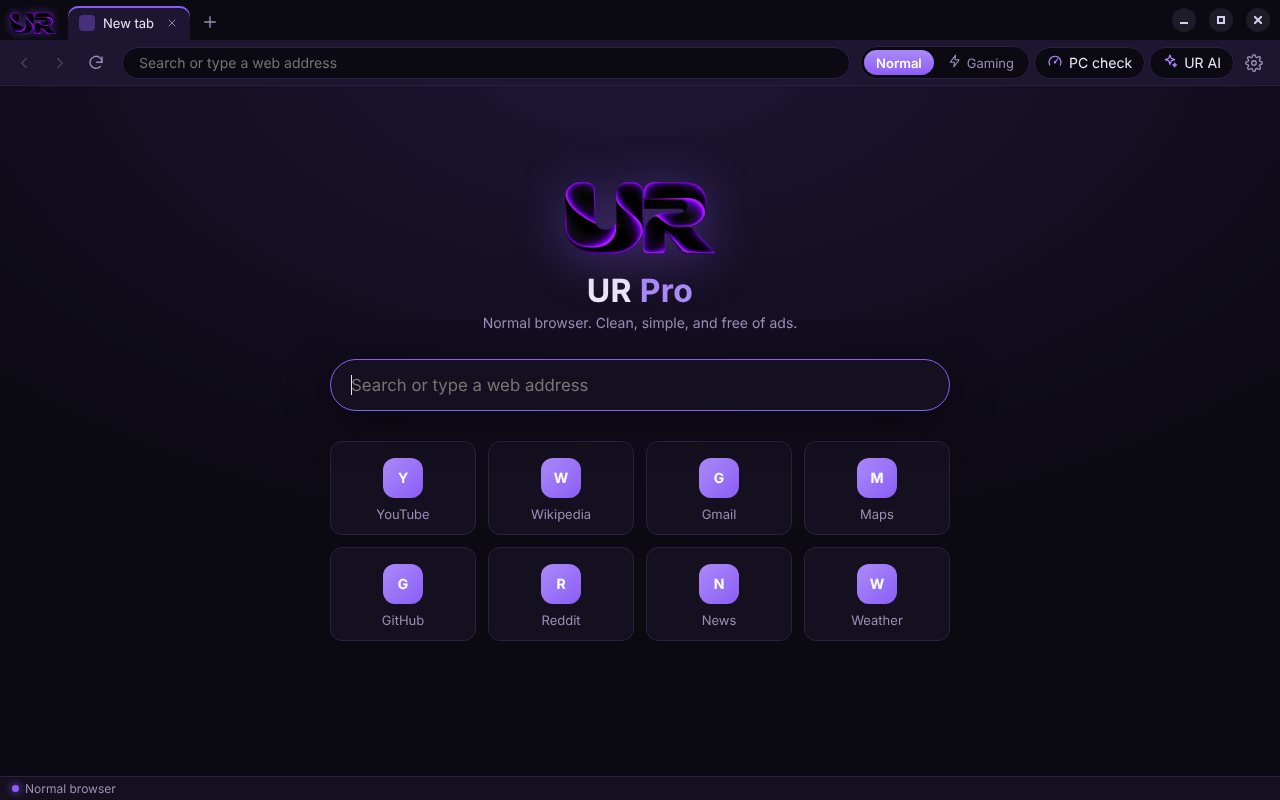
UR Pro is a web browser for Windows that stays out of your game's way. Browse normally, then switch to Gaming mode and UR Pro keeps its own use of your PC as low as it can.
Windows 10 or 11 (64-bit) · about 107 MB · version 0.1.0
What is UR Pro?
A short, plain definition.
- What it is
- A web browser for Windows. It is built on Chromium, the same engine that powers Chrome and Edge, so everyday websites work the way you expect.
- Who it is for
- People who play games on the same PC they browse on, and keep a browser open for guides, wikis, streams and chat while they play.
- What makes it different
- Two browsers in one (Normal and Gaming, each with its own settings), a Check my PC button that measures your PC while a game is running, and UR AI, an assistant that explains the results. UR Pro itself shows no ads.
- What it is not (yet)
- It is not a game launcher. It has no extensions, bookmarks, history page or password manager yet, and it cannot play copy-protected video such as Netflix.
What you get
Everything in UR Pro is there for one reason: your game comes first.
Normal and Gaming browsers
Switch with one button (or Ctrl+Shift+G). Each browser keeps its own settings, so Gaming can be strict while Normal stays relaxed.
Gaming-first performance
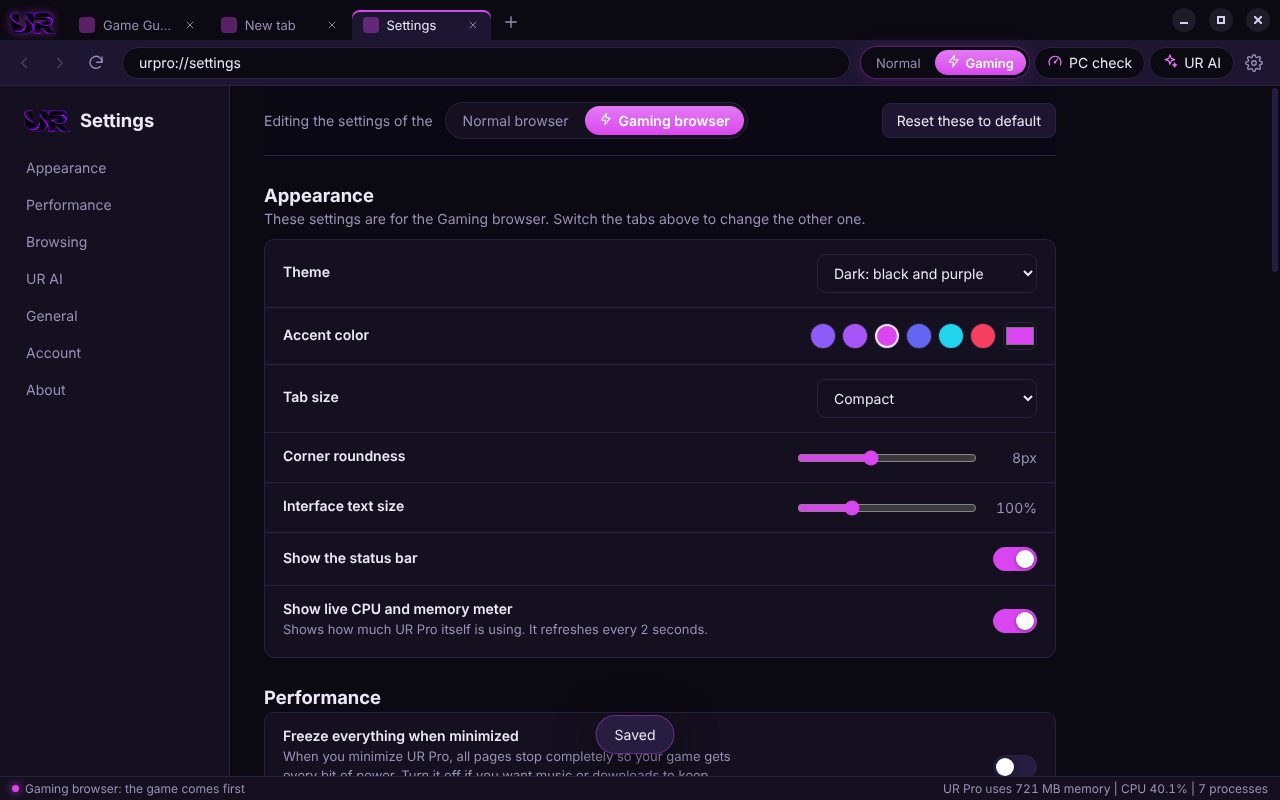
The Gaming browser freezes everything when you minimize it, runs at lower priority than your game, and puts unused tabs to sleep after 3 minutes. A live meter shows what UR Pro itself is using.
Check my PC
Open your game, come back, press a button. UR Pro measures your PC and tells you in plain words what is good, what is bad, and what to change.
UR AI
A side-panel assistant that can explain your PC report, summarize the page you are on, and answer questions about your game.
Private by design
No ads from UR Pro, no tracking, and no servers collecting your data. Your settings and sign-in stay on your own PC.
Make it yours
Dark black-and-purple or light purple-and-white themes, accent colors, tab size, corner roundness and text size.
Two browsers, two sets of rules
Press Normal or Gaming at the top right. Every setting can be changed separately for each one.
Normal Everyday browsing
Nothing is paused. Tabs stay awake, music and downloads keep going when you minimize, and UR Pro runs at normal priority.
Gaming The game comes first
Starts with: freeze when minimized, lower priority than your game, tabs asleep after 3 minutes, and a live CPU and memory meter.
Check my PC
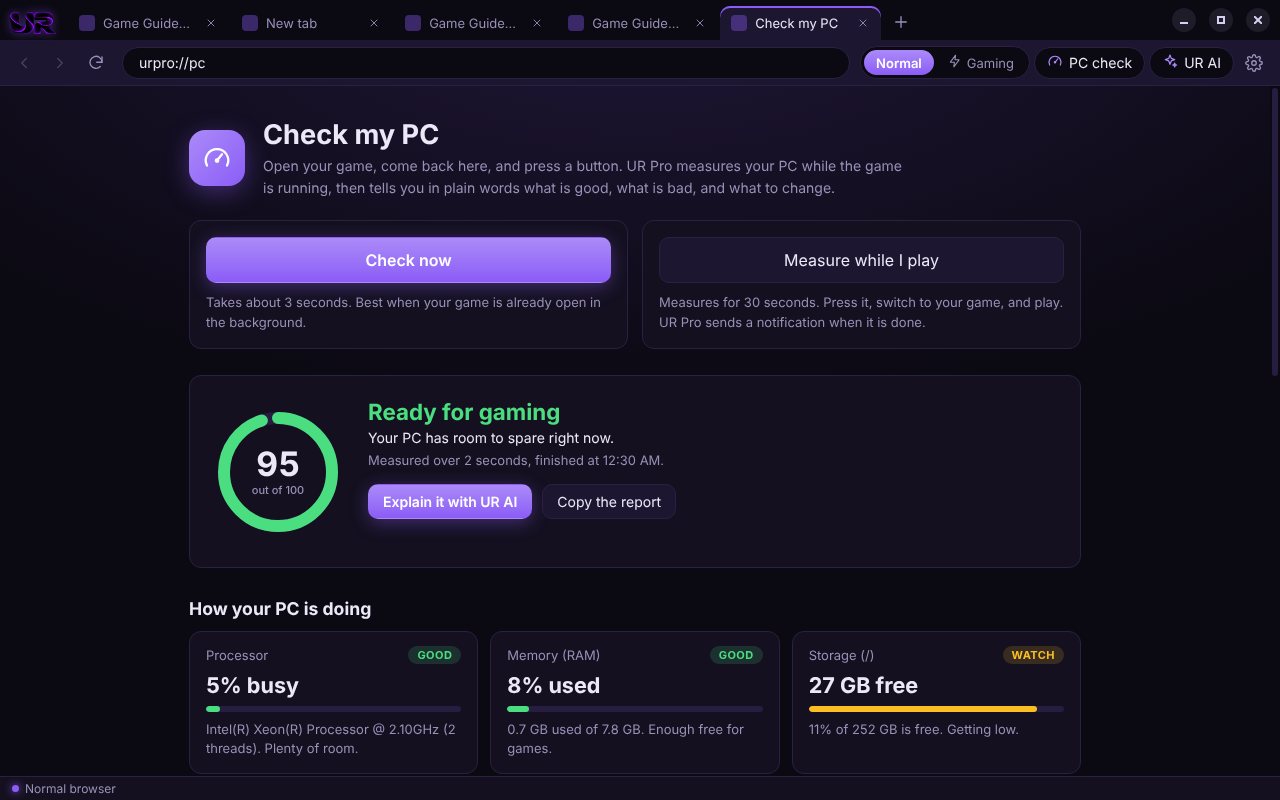
Start your game, come back to UR Pro, and press a button. UR Pro watches your PC for a few seconds and gives you a score out of 100 with a plain list of what is good, what needs watching, and what to change.
- Measures CPU, memory, disk activity, graphics card, power plan and free space.
- Shows which programs use the most, so you know what to close.
- Check now takes about 3 seconds. Measure while I play runs for 30 seconds while you stay in your game, then sends a notification.
- It only reads numbers. It never changes your PC and never closes anything by itself.
The score is a rough guide, not a benchmark. Some PCs do not report a graphics or disk reading; those lines then say "not available".
UR AI
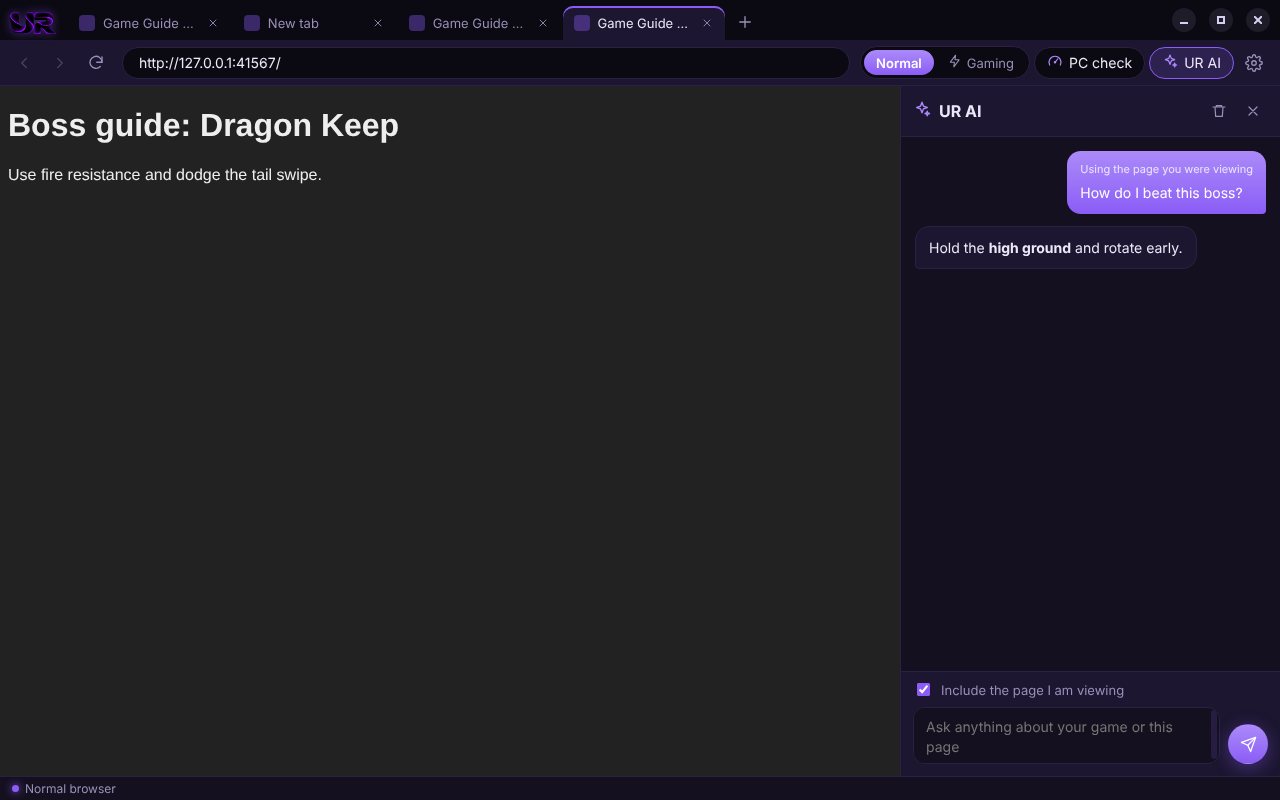
UR AI lives in a side panel, so you never leave the page you are on. Ask it about a boss fight, tick one box to let it read the page you are viewing, or press Explain it on your PC report and get the result in simple words with the first thing to fix.
- Open it with the UR AI button or Ctrl+Shift+A.
- Right-click selected text and choose Ask UR AI about this.
- Your key is stored on your PC, protected by Windows, and is never shown again.
UR AI uses your own Anthropic (Claude) API key, which is separate from a Claude.ai account. Anthropic bills your account a small amount per question. How to set it up.
Get UR Pro
One file. Download it, double-click it, press Install. No unzipping.
- Download the installerUR-Pro-Setup.exe, about 107 MB.
- Double-click it and press InstallIt installs just for you and needs no administrator rights. It adds a Desktop shortcut and a Start menu entry.
- If Windows shows a blue box saying "Windows protected your PC"Press More info, then Run anyway. UR Pro is new and does not have a paid publisher certificate yet, so Windows warns about it. Only run installers you downloaded from this website. More about this.
- Sign in with GooglePress Continue with Google, pick your account in your browser, and you are in. UR Pro only receives your name and email address, never your password.
- Needs: Windows 10 or 11, 64-bit
- Space: about 400 MB
- Version: 0.1.0 (early access)
Early access. UR Pro is still being tested. To sign in during this period, your Gmail address has to be on the approved list. Send your Gmail address to 0573691408 and we will add you. If something goes wrong, see Fix a problem.
Quick answers
Not here? Fix a problem has more, and you can always call 0573691408.
Is UR Pro safe?
UR Pro does not read your passwords, does not track you, and has no servers collecting your data. It is not yet "signed" with a paid publisher certificate, which is why Windows shows a warning for any new app like it. Download it only from this website. Read the privacy policy for exactly what is stored.
Does UR Pro show ads?
UR Pro itself shows none. Websites you visit may still show their own ads, because UR Pro does not have an ad blocker yet.
Why do I sign in with Google?
So UR Pro knows who is using it. Google checks that it is really you, and UR Pro only receives your name and email address. It never sees your Google password and cannot read your email, files or contacts.
Does UR AI cost money?
UR Pro does not charge for UR AI, but UR AI uses your own Anthropic API key, and Anthropic bills your account for what you use. On the fast model that is usually a fraction of a cent per question. Prices are set by Anthropic and can change.
Can I use UR Pro on Mac, Linux or my phone?
Not yet. UR Pro is for Windows 10 and 11 for now.
Why won't Netflix or Disney+ play?
Those services use copy protection (DRM) that UR Pro does not support yet. YouTube, Twitch and normal websites work. Use the service's own app for the protected ones.
Need help?
Check Fix a problem first. If it is not there, or the fix did not work, call or message:
0573691408